AWS Trusted Advisor
AWS Tutorial: AWS Trusted Advisor
Welcome to the AWS Trusted Advisor lesson. Imagine having an expert cloud architect constantly scanning your account, looking for ways to save you money and improve security. That is exactly what Trusted Advisor does.
Why Learn AWS Trusted Advisor?
Trusted Advisor is your automated best-practice checker. It frequently finds servers you forgot to turn off, security ports left wide open to the internet, and databases that are missing backups.
Tutorial Overview
In this tutorial, you will learn the 5 distinct categories (pillars) that Trusted Advisor evaluates your account against.
The 5 Pillars of Trusted Advisor
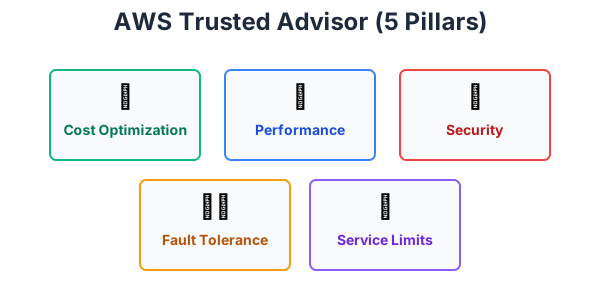
Trusted Advisor inspects your AWS environment and makes recommendations based on five pillars:
- Cost Optimization: Identifies idle or underutilized resources. (e.g., "You have an EC2 instance that has used 0% CPU for 14 days, you should turn it off to save $50/month.")
- Performance: Checks your service limits and ensures you are using the most efficient instance types.
- Security: Critically important! It checks for S3 buckets left completely open to the public, Security Groups allowing unrestricted SSH access, and IAM users missing Multi-Factor Authentication (MFA).
- Fault Tolerance: Checks if your applications are properly distributed across multiple Availability Zones to survive an outage, and ensures your RDS databases have automated backups enabled.
- Service Limits: AWS puts default limits on how many resources you can spin up (to prevent accidental massive bills). This warns you if you are getting dangerously close to your maximum limits.
Exercise
?Which category of AWS Trusted Advisor will warn you if you have an Amazon S3 bucket that is accidentally allowing public read/write access to the entire internet?