AWS Storage
AWS Tutorial: AWS Storage Services
Welcome to the final lesson of our core AWS Tutorial: AWS Storage. AWS offers highly specialized storage services depending on whether you are storing database files, user photos, or machine learning datasets.
Why Learn AWS Storage?
Using the wrong storage type is the fastest way to drain an IT budget. Learning the distinction between Block, File, and Object storage allows you to architect infinitely scalable systems at the absolute lowest cost.
Tutorial Overview
In this tutorial, you will learn the three main storage architectures in AWS:
- Object Storage (Amazon S3)
- Block Storage (Amazon EBS)
- File Storage (Amazon EFS)
3 Types of Cloud Storage
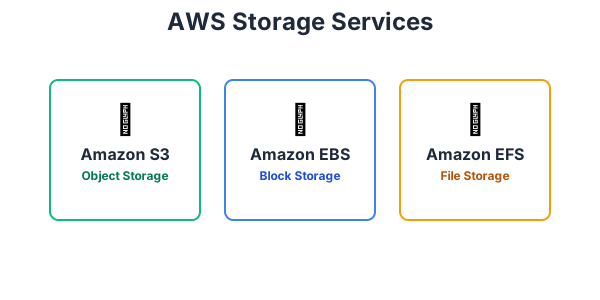
- Object Storage (Amazon S3): Designed to store massive amounts of unstructured data (like photos, videos, CSV files, and backups) across a flat namespace. It is incredibly cheap, infinitely scalable, and accessed via API/HTTP requests. It is not used to run operating systems.
- Block Storage (Amazon EBS): Designed to be attached to a single Amazon EC2 instance. It acts like a physical hard drive (C: Drive) plugged into your server. It is extremely fast and is required to boot an operating system or run a high-speed database.
- File Storage (Amazon EFS): Designed as a shared network file system. Unlike EBS, which can only be attached to one server at a time, EFS can be securely attached to thousands of EC2 instances simultaneously, allowing them all to read and write to the same shared files.
Exercise
?Which storage service provides incredibly cheap, infinitely scalable object storage perfect for storing user image uploads and database backups?