AWS Subnets & Access
AWS Tutorial: Subnets, Security Groups, and NACLs
Welcome to the Subnets & Access lesson. Now that we have a VPC, we must divide it into smaller networks and set up security firewalls to block hackers.
Why Learn Subnets and Access?
Improper firewall configuration is the number one cause of cloud data breaches. You must learn the difference between Security Groups and Network ACLs to lock down your architecture.
Tutorial Overview
In this tutorial, you will learn:
- Public vs. Private Subnets.
- Network Access Control Lists (NACLs).
- Security Groups (SGs).
Subnets
A Subnet is a smaller chunk of IP addresses inside your VPC.
- Public Subnet: Has a route to the internet. Web servers live here.
- Private Subnet: Has absolutely no route to the internet. Sensitive databases must live here.
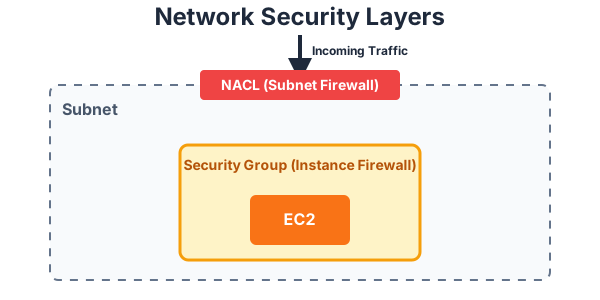
Security Groups vs. Network ACLs
AWS provides two layers of firewalls:
- Network Access Control Lists (NACLs): These act as a firewall at the Subnet level. They control traffic entering and exiting the entire subnet block. They are Stateless, meaning you must explicitly write rules allowing traffic both IN and OUT.
- Security Groups (SGs): These act as a firewall at the Instance level (attached directly to your EC2 server). They are Stateful, meaning if you allow an incoming request, the return traffic is automatically allowed out. By default, SGs deny all inbound traffic.
Exercise
?Which AWS firewall operates at the Instance level and is Stateful?