AWS Amazon CloudWatch
AWS Tutorial: Amazon CloudWatch
Welcome to the Amazon CloudWatch lesson. CloudWatch is the ultimate observability and monitoring service built directly into the fabric of AWS.
Why Learn Amazon CloudWatch?
If your EC2 instance is running out of CPU power, or your Lambda function is throwing errors, you need to know immediately. CloudWatch gives you the dashboard to see your system's health in real-time and the alarms to wake you up if something breaks.
Tutorial Overview
In this tutorial, you will learn the three main pillars of CloudWatch:
- CloudWatch Metrics
- CloudWatch Logs
- CloudWatch Alarms
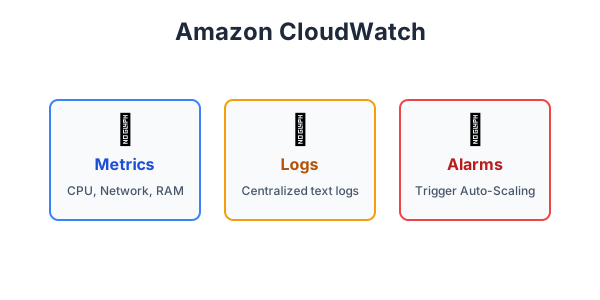
The 3 Pillars of CloudWatch
- CloudWatch Metrics: A metric is a variable to monitor, such as CPU utilization, network traffic, or database connections. AWS services automatically send metrics to CloudWatch every few minutes, allowing you to build beautiful real-time performance dashboards.
- CloudWatch Logs: This service allows you to centralize the logs from all your systems, applications, and AWS services. Instead of SSH-ing into 50 different EC2 servers to read their text log files, you can stream them all to CloudWatch Logs to search and filter them in one place.
- CloudWatch Alarms: Alarms continuously watch a specific metric. If a metric crosses a threshold you define (e.g., "CPU Utilization > 80% for 5 minutes"), the alarm changes state and can automatically trigger an action, like sending you an email via Amazon SNS or telling an Auto Scaling Group to add more servers!
Exercise
?Which CloudWatch feature would you use to automatically send a text message to your system administrator if an EC2 instance's CPU usage exceeds 90%?