AWS Elastic File System
AWS Tutorial: Amazon Elastic File System (EFS)
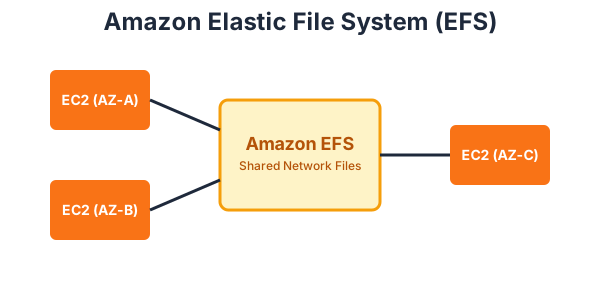
Welcome to the Amazon EFS lesson. EBS allows you to attach a hard drive to one server, but what if you have 10 servers that all need to share the exact same files? That is where EFS shines.
Why Learn Amazon EFS?
If you are building a horizontally scaled application (like a WordPress site with thousands of images running across 5 EC2 instances), keeping those images synchronized manually is a nightmare. Learning EFS allows you to create a seamless, shared file system that scales automatically.
Tutorial Overview
In this tutorial, you will learn:
- What Amazon EFS is.
- How EFS differs from EBS.
- Multi-AZ availability in EFS.
What is Amazon EFS?
Amazon Elastic File System (Amazon EFS) provides a simple, scalable, fully managed elastic NFS (Network File System) file system for use with AWS Cloud services and on-premises resources.
Multi-Attach and Multi-AZ
Unlike an EBS volume, which lives in a single Availability Zone and can generally only be attached to one EC2 instance at a time, an EFS file system can be attached to thousands of EC2 instances simultaneously, even if those instances are spread across different Availability Zones!
When Server A writes a file to EFS, Server B can immediately read that file. It automatically scales its storage capacity up and down as you add or remove files, so you never need to provision storage size in advance.
Exercise
?What is the primary advantage of Amazon EFS over Amazon EBS?