R Plot
R Graphics: The plot() Function
R is world-renowned for its incredibly powerful data visualization capabilities.
The most fundamental and frequently used function to draw graphs in R is the plot() function.
The plot() Function
The plot() function acts as a generic blank canvas for plotting R objects.
It takes two primary parameters: an X-axis value and a Y-axis value.
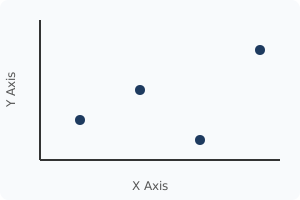
When you pass two vectors into it, R magically generates a visual representation of your data!
Basic Plot Example:
# Defining the X and Y coordinates
x_values <- c(1, 2, 3, 4)
y_values <- c(3, 5, 7, 9)
# Generating the plot
plot(x_values, y_values)
Adding Titles and Labels
A graph is completely useless if the viewer does not understand what the data represents.
You can easily add descriptive labels using the main, xlab, and ylab arguments.
main: Creates the bold main title at the very top of the graph.xlab: Creates the label text strictly for the X-axis (bottom).ylab: Creates the label text strictly for the Y-axis (left side).
Labeling Example:
x_values <- c(1, 2, 3, 4) y_values <- c(3, 5, 7, 9)plot(x_values, y_values, main = "Company Growth", xlab = "Time (Years)", ylab = "Revenue (Millions)")
SEO and Data Visualization
Including rich data visualizations makes statistical reports vastly more readable.
Search engines prioritize highly readable, well-structured analytical content.
Mastering the base plot() function is the first crucial step toward becoming a data science expert!
Exercise 1 of 1
?Which parameter inside the plot() function is used to add a large, descriptive title to the very top of the graph?