R Line Graphs
R Line Graphs
By default, the plot() function renders data strictly as isolated, floating dots.
However, when analyzing trends over time (like stock prices), a connected line graph is vastly superior.
Drawing a Line
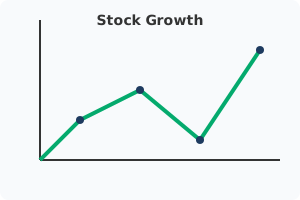
To connect the scattered dots into a continuous line, you must add the type parameter.
Setting type = "l" explicitly tells R to render a solid line instead of dots!
Line Graph Example:
x_coords <- c(1, 2, 3, 4, 5)
y_coords <- c(3, 7, 8, 5, 9)
# The 'l' stands for line!
plot(x_coords, y_coords, type = "l")
Customizing Line Appearance
R allows you to deeply customize the exact visual appearance of your line graph.
col: Changes the physical color of the line (e.g.,col = "blue").lwd: Changes the Line Width, making it significantly thicker or thinner (e.g.,lwd = 3).lty: Changes the Line Type, allowing you to use dashed or dotted lines (e.g.,lty = 2).
Customizing Example:
x_coords <- c(1, 2, 3, 4, 5)
y_coords <- c(3, 7, 8, 5, 9)
# Renders a thick, green, dashed line!
plot(x_coords, y_coords,
     type = "l",
     col = "green",
     lwd = 4,
     lty = 2)
SEO and Trend Analysis
Line graphs are universally recognized as the absolute best format for displaying sequential timeline data.
Providing clean, easily interpretable line charts keeps readers engaged on your reports significantly longer.
Always ensure your lines are thick enough (lwd) to remain highly visible on mobile screens!
Exercise 1 of 1
?Which parameter inside the plot() function is required to connect the data points with a continuous line?