R Bar Charts
R Bar Charts
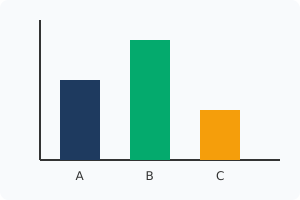
Bar charts are arguably the absolute best way to visually compare different categorical groups.
They display rectangular bars where the physical height of each bar corresponds directly to its mathematical value.
The barplot() Function
To generate a bar chart, you explicitly use the barplot() function.
You pass a numeric vector representing the bar heights, and a text vector for the names.arg to label each bar underneath.
Bar Chart Example:
# The heights of the three bars
revenue <- c(80, 120, 50)
# The text labels placed strictly under each bar
teams <- c("Team A", "Team B", "Team C")

barplot(revenue,
        names.arg = teams,
        col = "orange",
        main = "Sales by Team")
Horizontal Bar Charts
If your categorical names are incredibly long, they will overlap horizontally and become unreadable.
To solve this instantly, you can flip the entire chart to draw the bars horizontally!
You achieve this simply by adding the horiz = TRUE parameter.
Horizontal Bar Chart:
# Re-defining the data for this example
revenue <- c(80, 120, 50)
teams <- c("Team A", "Team B", "Team C")
# Flips the chart entirely on its side!
barplot(revenue,
        names.arg = teams,
        col = "darkblue",
        horiz = TRUE)
Exercise 1 of 2
?Which specialized parameter applies text labels underneath every single bar in the chart?
Exercise 2 of 2
?How do you force the barplot() function to draw the bars horizontally rather than vertically?